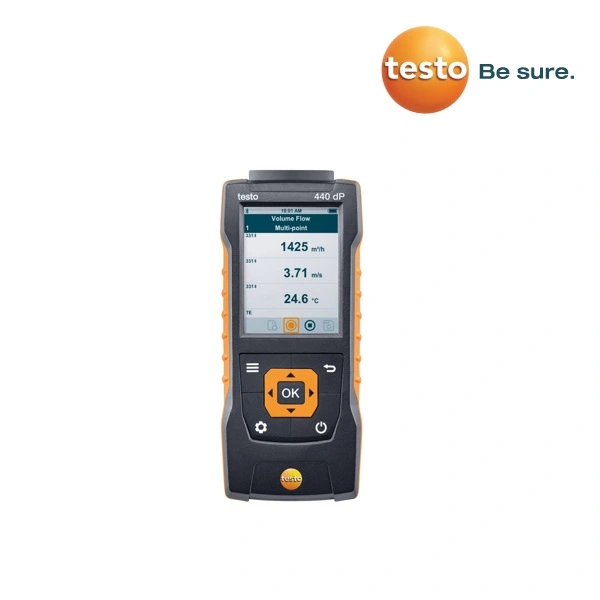
testo 440, 440 dP Air velocity & IAQ measuring instruments

Download: testo 440, 440 dP Air velocity & IAQ measuring instruments Data Sheet

testo 440
Air velocity & IAQ measuring instrument, 3 x AA batteries, USB cable and calibration protocol.

Part no. 0560 4401

testo 440 dP
Air velocity & IAQ measuring instrument with integrated differential pressure sensor, connection hose, 3 x AA batteries, USB cable and calibration protocol.
Part no. 0560 4402

  • Intuitive: clearly structured measurement menus for the most important applications stored on the instrument
  • Wireless: Bluetooth probes for greater measuring convenience and a reduced tangle of cables in the case
  • Space-saving: a universal handle for all probes
  • Clear overview: parallel display of 3 measuring values; configuration and results at a glance
  • Reliable: internal memory for up to 7500 measurement protocols, USB interface for data export and optional printout of measuring values


Technical data

testo 440 testo 440 dP
Temperature (NTC)
Measuring range -40 to +150 °C
Accuracy (±1 digit) ±0.4 °C (-40 to -25.1 °C)

±0.3 °C (-25 to +74.9 °C)

±0.4 °C (+75 to +99.9 °C)

±0.5% of m.v. (remaining meas. range)

Resolution 0.1 °C
Temperature (TC)
Measuring range -200 to +1370 °C
Accuracy (±1 digit) ±(0.3 °C + 0.3% of m.v.)
Resolution 0.1 °C
Temperature (Pt100)
Measuring range

See probe data

Accuracy (±1 digit)
Resolution
Differential pressure
Measuring range

-150 to +150 hPa
Accuracy (±1 digit) ±0.05 hPa

(0 to +1.00 hPa)

±0.2 hPa + 1.5% of m.v.

(+1.01 … +150 hPa)

Resolution 0.01 hPa
Probe connections
TC type K 1x
NTC TUC / digital probe with cable 1x
Bluetooth probe

1x digital Bluetooth probe or testo Smart Probe

Differential pressure +
Technical data
Operating temperature -20 to +50 °C
Storage temperature -20 to +50 °C
Battery type 3 x AA batteries
Battery life 12 h (typically vane measurement)
Weight 250 g
Dimensions 154 x 65 x 32 mm


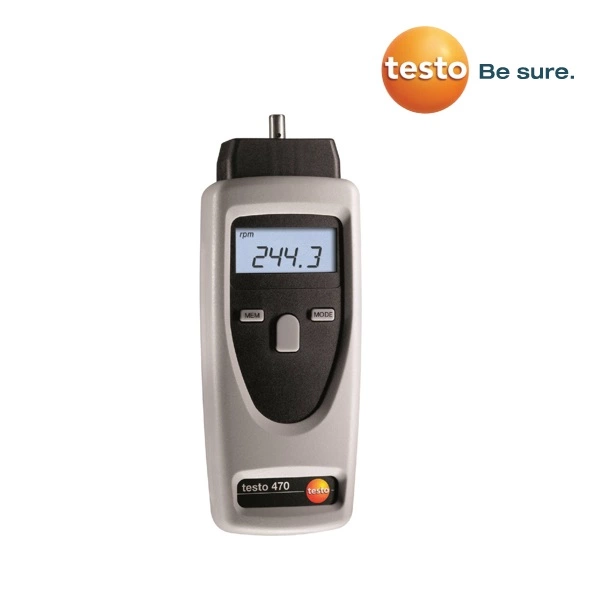
testo 470 rpm measuring instrument

Download: testo 470 rpm measuring instrument Data Sheet

testo 470 RPM measuring instrument with SoftCase in transport case incl. probe tip, 0.1 m and 6 wheel, reflectors and batteries

  • Easy one-hand operation
  • Measurement of rpm, speeds and lengths
  • Storage of mean, max. and min. values as well as the last measurement value
  • Measurement distance up to 600 mm (optical measurement)
  • Battery check “Low Batt”
  • Robust design thanks to SoftCase (protective case)


Technical data

General technical data

Oper. temp. 0 to +50 °C
Storage temp. -20 to +70 °C
Battery type 2 AA batteries
Battery life 40 h
Display 5-figure LCD display, 1-line
Dimensions 175 x 60 x 28 mm
Weight 190 g
Warranty 2 years


0.1 m 6“ 12“
m/min 0.10-1999 0.10-1524 0.40-609.6
ft/min 0.40-6550 0.40-5000 0.40-2000
in/min 4.00-78700 4.00-60000 4.00-24000
m/sec 0.10-33.30 0.10-25.40 0.10-10.16
ft/sec 0.10-109 0.10-83.33 0.10-33.33
m 0.00-99999 0.00-99999 0.00-99999
ft 0.00-99999 0.00-99999 0.00-99999
in 0.00-99999 0.00-99999 0.00-99999
Units rpm, m/min, ft/min, in/min, m, ft, in
Accuracy: (±1 digit/0.02 m/1.00 inch depending on resolution)
Measuring wheels: 0.1m, 6″ (included)


Sensor types

Optically with mod. light beam
Meas. range +1 to +99999 rpm
Accuracy

±1 digit

±0.02% of mv
Resolution 0.01 rpm (+1 to +99.99 rpm)
0.1 rpm (+100 to +999.9 rpm)
1 rpm (+1000 to +99999 rpm)
Mechanical
Meas. range +0.1 to +19.999 rpm
Accuracy

±1 digit

±0.02% of mv

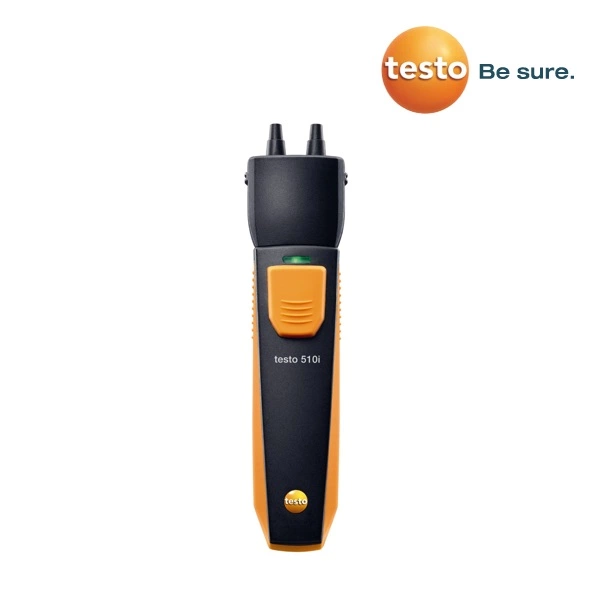
testo 510i Differential pressure gauge operated with smartphone

Download: testo 510i Differential pressure gauge operated with smartphone Data Sheet

testo 510i, differential pressure gauge operated with smartphone, incl. hose set (Ø 4 mm and 5 mm) with adapter, batteries and calibration protocol

  • Compact professional measuring instrument from the Testo Smart Probes series, for use with smartphones/tablets
  • Measurement of gas flow and static pressure
  • Measurement menu for pressure-drop test incl. alarms
  • Measurement data analyzed and sent via testo Smart App
  • Magnetic fixture for better attachment
  • Space-saving and easy to transport


Technical data

Sensor type Pressure
Measuring range -150 to 150 hPa
Accuracy

±1 digit

±0.05 hPa (0 to 1 hPa)

±(0.2 hPa + 1.5 % of m.v.) (1 to 150 hPa)

Resolution 0.01 hPa


General technical data

Compatability requires iOS 11.0 or newer / Android 6.0 or newer
  requires mobile end device with Bluetooth 4.0
Storage temperature -20 to +60 °C
Operating temperature -20 to +50 °C
Battery type 3 micro batteries AAA
Battery life 150 hrs
Dimensions 148 x 36 x 23 mm


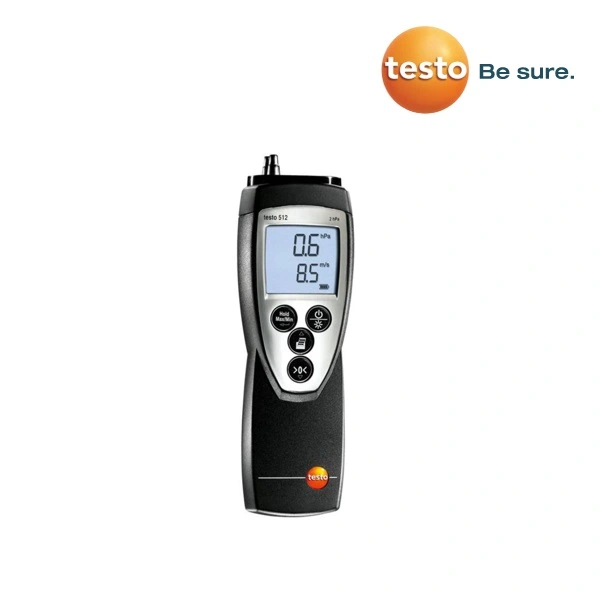
testo 512 Differential pressure measuring instrument

Download: testo 512 Differential pressure measuring instrument Data Sheet

1.  testo 512  0 to 2 hPa/mbar
testo 512 pressure meter (0 to 2hPa) incl. battery and calibration protocol
Part no. 0560 5126

2.  testo 512  0 to 20 hPa/mbar
testo 512 pressure meter (0 to 20hPa) incl. battery and calibration protocol
Part no. 0560 5127

3.  testo 512  0 to 200 hPa/mbar
testo 512 pressure meter (0 to 200hPa) incl. battery and calibration protocol
Part no. 0560 5128

4.  testo 512  0 to 2000 hPa/mbar w/o flow velocity and Pascal measurement
testo 512 pressure meter (0 to 2000hPa) incl. battery and calibration protocol
Part no. 0560 5129

  • 8 pressure units can be selected: kPa, hPa, Pa, mm H2O, mmHg, psi, inch H2O, inch Hg
  • 2 flow velocity units can be selected: m/s, fpm
  • Integrated tightness compensation
  • Display illumination
  • Max./min. as well as Hold-function
  • Printout of measurement values incl. date/time and min./max. values


Sensor type Differential pressure sensor

1 2 3 4
Meas. range 0 to +2 hPa

+2 to +17.5 m/s

395 to 3445 fpm

0 to +20 hPa

+5 to +55 m/s

985 to 10830 fpm

0 to +200 hPa

+10 to +100 m/s

1970 to 19690 fpm

0 to +2000 hPa
Accuracy ±1 digit 0.5% of fsv 0.5% of fsv 0.5% of fsv 0.5% of fsv
Resolution 0.001 hPa

0.1 m/s

0.1 fpm

0.01 hPa

0.1 m/s

0.1 fpm

0.1 hPa

0.1 m/s

0.1 fpm

1 hPa
Overload ±10 hPa ±200 hPa ±2000 hPa ±4000 hPa


Common Technical Data

Measuring medium All non-corrosive gases
Display LCD, 2 lines
Storage temp. -10 to +70 °C
Oper. temp. 0 to +60 °C
Battery type 9V block battery, 6F22
Battery life 120 h
Auto Off 10 min
Weight 300 g
Dimensions 202 x 57 x 42 mm
Warranty 2 years

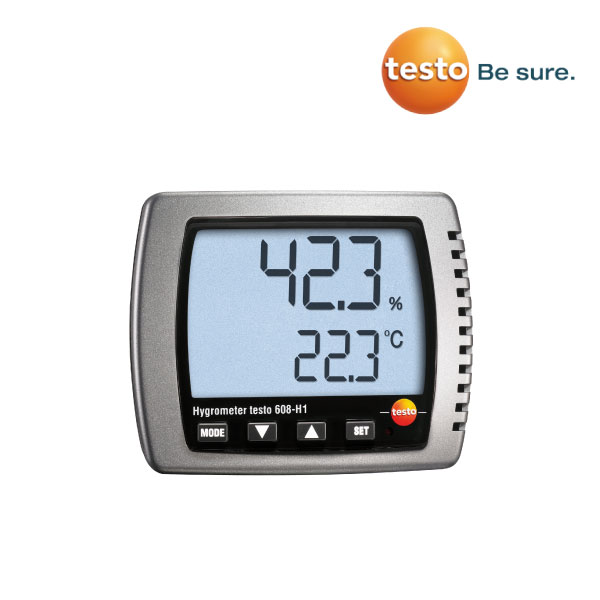
testo 608 Thermohygrometer

Download: testo 608 thermohygrometer technical data

Product Descriptions
The low-budget hygrometer testo 608-H1 continuously measures humidity, temperature and dewpoint. The large display is easily legible even at a distance, the suspension and standing fixtures allow flexible positioning on a table or the wall. testo 608 has a max./min. value display and a battery monitor. Thanks to the long-term stable sensor, you can rely on correct measurement results even after years.
testo 608-H2, the precise alarm hygrometer, reliably reports humidity and temperature limit value violations, e.g. in garden centres, storerooms, cleanrooms, museums, laboratories etc.

 Technical Data
  Temperature – NTC
  Measuring range   0 to +50 °C
  -20 to +50 °Ctd
  Accuracy   ±0.5 °C (at +25 °C)
  Resolution   0.1 °C
  Humidity – Capacitive
  Measuring range   10 to 95 %RH
  Accuracy   ±3 %RH (10 to 95 %RH)
  ±0.06 %RH/K (k=1)
  long-term stability: ±1 %RH / year
  Resolution   0.1 %RH
  Please see the additional accuracy information for humidity in the instruction manual.
  General technical data
  Weight   168 g
  Dimensions   111 x 90 x 40 mm
  Operating temperature   0 to +50 °C
  Measuring rate   18 s
  Product-/housing material   ABS
  Battery type   9V block battery, 6F22
  Battery life   approx. 1 year
  Display type   LCD (Liquid Crystal Display)
  Display size   2 lines
  Storage temperature   -40 to +70 °C

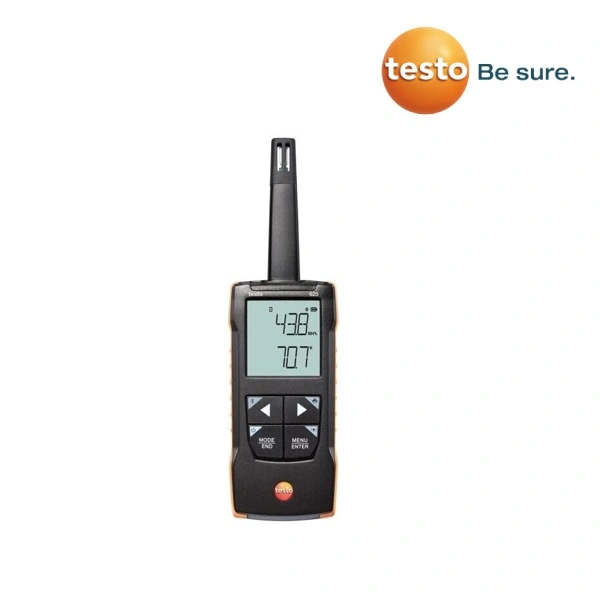
testo 625 – Digital thermohygrometer with App connection

Download: testo 625 – Digital thermohygrometer with App connection

Description

Relative humidity and air temperature are two decisive factors e.g. for the assessment of indoor air quality and comfort. So if you want to ensure that people are comfortable indoors or that optimum conditions prevail in storage rooms , the compact testo 625 thermohygrometer is the ideal choice. To obtain precise results as quickly and easily as possible, the testo 625 not only calculates dewpoint and wet bulb temperature automatically. The time and the point averages are also displayed immediately. And with the testo Smart App, you get the most out of the thermohygrometer:

  • Simple, fast and precise measurement of air temperature and relative humidity.
  • Calculation of dewpoint and wet bulb temperature
  • Fast in-app configuration, graph history, second screen and measurement data memory in the testo Smart App.
  • Audible alarm sounds if a limit value is exceeded.
  • Timed and point mean value calculation.


General technical data

Storage temperature -20 to +50 °C
Operating temperature Measuring instrument : -20 to +50 °C
Probe: -20 to +70 °C
Battery type 3 x AA
Battery life 100 h
Weight 199 g
Dimensions
Measuring instrument : 208 x 60 x 28 mm
Probe: 12 x 15 mm
Housing material ABS + PC / TPE


Sensor types

Testo humid. sensor, cap. NTC
Measuring range 0 to 100 %RH -20 to +60 °C
Accuracy ±1 digit 2.5 %RH (5 to 95 %RH) ±0.5 °C
Resolution 0.1 %RH 0.1 °C


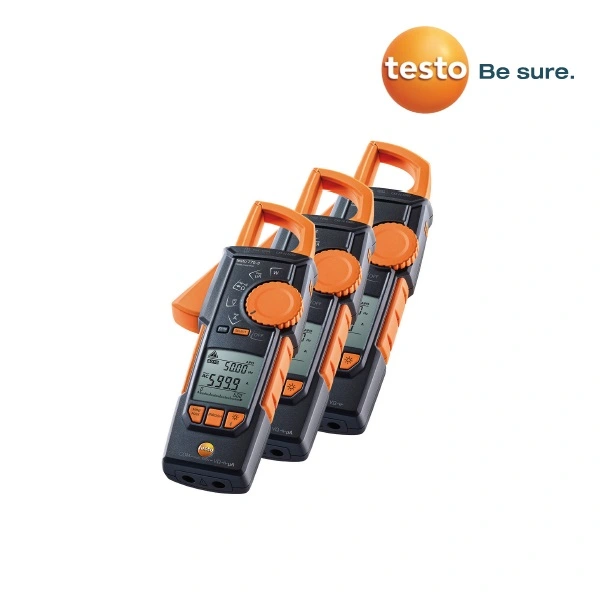
testo 770-1, 770-2, 770-3 Clamp meter

Download: testo 770-1, 770-2, 770-3 Clamp meter Data Sheet

testo 770-1, TRMS clamp meter, including batteries and 1 set of measuring cables

testo 770-2, TRMS clamp meter, including batteries, 1 set of measuring cables and 1 x adapter for type K thermocouples

testo 770-3, TRMS clamp meter, including batteries and 1 set of measuring cables

  • Unique grab mechanism makes it easier to work at tight measuring points
  • Auto AC/DC for current and voltage
  • Large two-line display
  • True root mean square measurement – TRMS
  • With additional functions, such as starting current, power and μA measurement
  • Bluetooth and testo Smart App


Technical data

Technical data testo 770-1 testo 770-2 testo 770-3
True RMS

Basic accuracy

0.8 %

0.1 %
Voltage
measuring range

1 mV to 600 V AC/DC

Current
measuring range

0.1 to 400 A AC/DC

0.1 to
600 A AC/DC

Power measurement

µA measuring range

0.1 to 400 µA AC/DC

Resistance
measuring range

0.1 Ω to 40 MΩ

0.1 Ω to 60 MΩ
Frequency
measuring range

0.001 Hz to 10 kHz

Capacitance
measuring range

0.001 µF to 100 µF

0.001 µF to 60,000 µF

Temperature
measuring range

-20 to +500 °C

Bluetooth and
testo Smart App

Continuity testing

Diode test

Display (counts)

4,000

6,000

Measurement
category

CAT IV 600 V
CAT III 1,000 V

Compatibility

requires iOS 11.0 or newer /
Android 6.0 or newer

requires mobile terminal device with Bluetooth®  4.0

Operating temperature

-10 to +50 °C

Storage temperature

-15 to +60 °C

Dimensions

243 x 96 x 43 mm (L x W x H)

Weight

378 g

Authorizations

CSA, CE

Standards

EN 61326-1, EN 61140


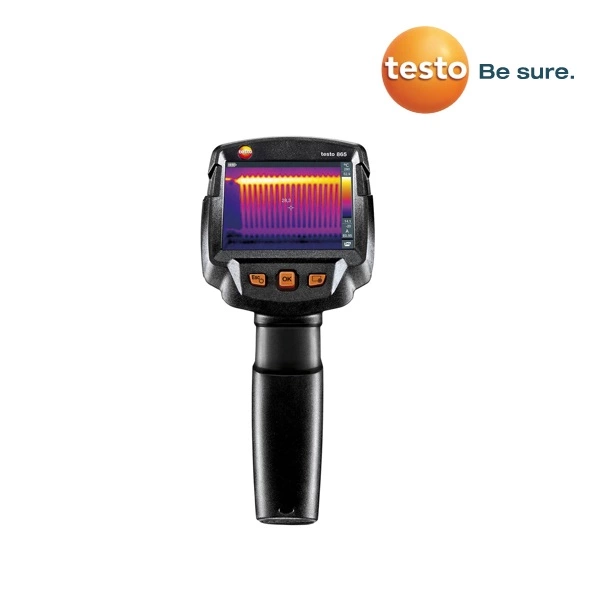
testo 865 Thermal imager

Download: testo 865 Thermal imager Data Sheet

Thermal imager testo 865 with integrated testo SuperResolution, USB cable, mains unit, Lithium ion rechargeable battery, pro software (free download), quick-start guide, short instructions, calibration certificate and case

  • Infrared resolution 160 x 120 pixels
    testo SuperResolution to 320 × 240 pixels
  • Automatic recognition of hot-cold spots


Technical data

Infrared image output
Infrared resolution 160 x 120 pixels
Thermal sensitivity (NETD) 120 mK
Field of view/min.
focusing distance
31° x 23° /

< 0.5 m

Geometric resolution (IFOV) 3.4 mrad
testo SuperResolution (Pixel/IFOV) 320 x 240 pixels

2.1 mrad

Image refresh rate 9 Hz
Focus Fixed focus
Spectral range 7.5 to14 µm
Image presentation
Image display 8.9 cm (3.5″) TFT, QVGA (320 x 240 pixels)
Display options IR image
Colour palettes iron, rainbow HC, cold-hot, grey
Data interfaces
USB 2.0 Micro B

Measurement
Measuring range -20 to +280 °C
Accuracy ±2 °C, ±2 % of measurement value
(larger value applies)
Emissivity /

reflected temperature compensation

0.01 to 1 / manual
Measurement functions
Analysis functions Mean point measurement,
hot/cold-spot recognition, Delta T,
testo ScaleAssist
IFOV warner
Imager equipment
Lens 31° x 23°
Video streaming via USB
Storage as JPG
Fullscreen mode
Image storage
File format .bmt and .jpg; export options in .bmp, .jpg,

.png, .csv, .xls

Memory Internal memory (2.8 GB)
Power supply
Battery type Li-ion battery can be changed on-site
Operating time 4 hours
Charging options In instrument/in charging station (optional)
Mains operation
Ambient conditions
Operating temperature
range
-15 to +50 °C
Storage temperature
range
-30 to +60 °C
Air humidity 20 to 80 %RH, not condensing
Housing protection class
(IEC 60529)
IP54
Vibration (IEC 60068-2-6) 2G
Physical features
Weight 510 g
Dimensions (LxWxH) 219 x 96 x 95 mm
Housing PC – ABS
PC software
System requirements

Windows 10, Windows 8, Windows 7

Standards, tests
EU directive

2014/30/EU

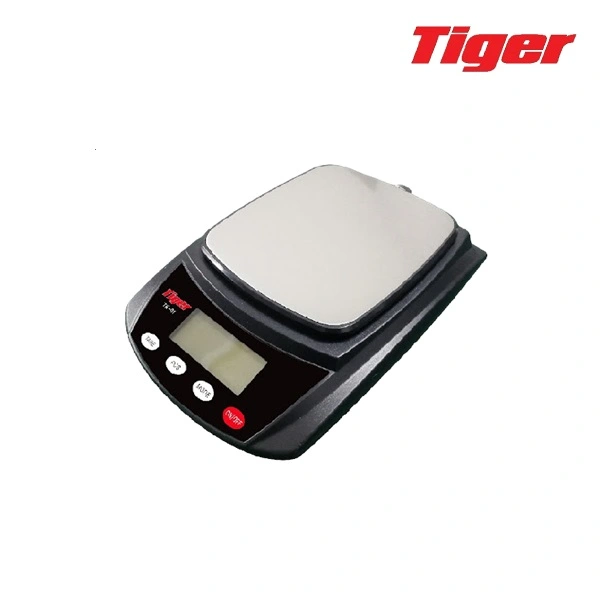
TIGER TPK / TK – 01 POCKET SCALE / KITCHEN SCALE

SPECIFICATIONS

  • Capacity: 300g*0.01g, 500g*0.01g, 3kg*0.1g,
  • Units: g/oz/b/kg/tl/ct
  • Tare range: 100%FS
  • Auto off (default): 60 seconds
  • Operation temperature: 5-35C
  • Display: LCD 5 digits

OPERATIONS

Weighing Items

1. Place scale on a horizontal flat surface, press ON/OFF switch

2. Wait until “0.0” is displayed

3. Put the object(s) on the weighing platform

Counting(PCS)

1. Put the relevant amount of goods that you are going to count as the sample (25,50,75,100).

2. Press and hold “pcs” key for two seconds, then you will see “100”.

3. Press “MODE” key and you will see “25, 50, 75,100”. Please select the

number that you are willing to put as the sample number. Then press “PCS” key to confirm it.

4. Now you can put the goods that you want to count on the center of the

platform and the LCD will show the actual number of the goods on the  platform.

MODE – Change unit

press the “MODE” key to toggle the weighing unites between g, oz, Ib, kg, tl and ct.

TARE function

1. Turn on scale as described above

2. Place the “tare item” on the platform

3. Press “TARE” and wait until “0.0” (or “O”) is displayed

CALIBRATION

1. Turn on the scale by pressing ON/OFF key, press “MODE” key quickly and hold it until LCD displays “CAL”.

2. Press the MODE key again, the LCD flashes “CAL” and “100.0” (subject to the capacity of your scale) for three times, now add corresponding

cal weight on the scale, wait 3-4 seconds, LCD displays “PASS” and back to normal weighing mode.

3. Take away the calibration weight and press ON/OFF key to turn off scale, the calibration is finished.

Care Instructions

  • Avoiding any exposure to extreme heat or cold, your scale works better
    when operated at normal room temperature. Always allow the scale to
    acclimate to normal room temperature for at least one hour before use.
  • Keep your scale in a clean environment. Dust, dirt, moisture, vibration, air
    currents and a close distance to other electronic equipment can all cause
    an adverse effect on the reliability and accuracy of your scale.
  • Handle with care. Gently apply all items to be weighed onto tray top.
    Although this scale is designed to be quite durable, try to avoid rough
    treatment as this may permanently damage the internal sensor.
  • Avoid shaking, dropping or otherwise shocking the scale. This is a
    precision instrument and must be handled with extreme care.


TIGER TPL-01H – Sticker printer for weighing scales

Multi-function stand-alone operation Features

  • No PC Operating.
  • Easy Forms Update and Easy Data Storage via Micro SD card
  • Variety of external devices connections (USB-Keyboard, USB-Scanner, Scale, Counter)
  • Bar Drawer easily edit form
  • Convenient form operation
  • Multilingual LCD display

Specifications

  • CPU AND MEMORY
  • CPU : 32-bit CPU
  • 128 SDRAM, 128 Flash ROM, micro SD slot (Up to 32GB)

PRINT

  • RESOLUTION : 203 dpi/300 dpi
  • PRINT MODE : Direct Thermal and Thermal Transfer
  • PRINT SPEED : 1″ to 5″ ips (203dpi), 6″ ips (Option)
  • MAX. PRINT LENGTH : 150 inches
  • PRING WIDTH : 4.1″ (104mm)
  • BARCODE :
    1D :Code39, Code93,Code128 UCC, Code128 auto, Codabar, EAN8, EAN13, Interleaved 2
    of 5, UCC/EAN 128, UPC A, UPC E, UPC Interleaved 2 of 5
    2D : Data Matrix, MaxiCode, PDF417
  • FONT : 5 internal expandable bitmap fonts (alpha-numeric)
    2 internal expandable bitmap fonts (numeric only) Downloadable soft font
    4 directions : 0, 90, 180, 270 degrees
  • IMAGE : PCX, Direct binary graphic

DISPLAY : Backlight LCD display 128×64 dots

CONTROL PANEL : 4 multi-functional keys, 4 status LED light, 1 error LED light

MEDIA

  • WIDTH : 0.59″~4.33″(15mm~110mm)
  • MEDIA ROLL DIAMETER : ID-1″ (25.4mm)/OD-Max. 5″(127mm)
  • MEDIA THICKNESS : 0.002″ (0.06mm) to 0.0075″ (0.2mm)
  • MEDIA TYPE : Continuous, die-cut, tag, fan-fold, black mark

INTERFACE : Serial, USB master and slave, Ethernet 10/100Mbps (option)
POWER : Switching power adapter – Input : 100 to 240V/Output : 24V
AUDIO : Beep sound when error occurs
OPTION : Wifi , Bluetooth, stacker, Peeler kit, Cutter, Ethernet module
OPERATING TEMPERATURE : 5C to 45*C(40*F to 112.9*F)
PRINTER DIMENSION : 200(W) x 263(L) x 188(H) mm, Weight : 2KG
CERTIFICATION : CE, FCC class B, CCC, CB


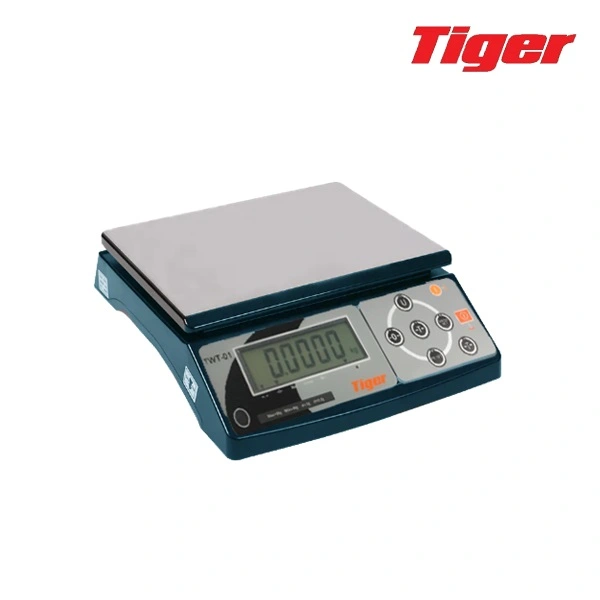
TIGER – TWT-01 WEIGHING TABLE SCALES

Specifications
1.Accuracy:Class Ⅲ
2. Sensitivity:1.5~3.0mV /V
3. Nonlinear:≤0.01%F.S
4. Working Voltage:DC:5V
5. Speed:10times/seconds(optional)
6. Internal Resolution:500000~1500000
Power Source
100~240V 50/60hz AC INPUT
12V/1A DC OUTPUT
6V/4AH Lead-acid rechargeable battery included
Low battery warnings
The display battery symbol lights up when battery voltage is lower than 5.6 V
The display battery symbol starts to flash when battery voltage is lower than 5.5V
The scale will shut off automatically when battery voltage is lower than 5.4V
Preparation
1. Please send this product is placed in the firm and flat place, don’t place in
vibration or shaking. And adjust four feet to keep the product stable, adjust the level
bubble to keep it in the level place.
2. Please use the current independently to avoid the interference of other electronics.
3. Please put nothing on the plate when switch on the power.
4. Please turn on 2-3 minutes before using.
5. Please avoid setting the products in the place where the humidity changing is over 80%.
6. Please put the things in the middle of the plate to keep the accuracy

Power Consumption
1. Approx.12mA
2. Approx.36mA with backlight
3.Approx.48mA with backlight and RS232 interface
4. Battery hours per charge:Approx.120hours
Load cell connection (for indicator)
1. The plug of load cell ,see the following drawing
2. Do not plug the connection when the indicator is on to protect the indicator and load cell.
Counting function specification
If in unit setup mode,set the pieces,then activate counting function ,
operate specification as below:
1. Press 【UNITS】 key for two seconds, it shows “0” in the display. At the same time, the light of “PCS” is lit up.
2. Press【net/gross】key,it shows “10”,press【net/gross】key,choose the quantity of the sample in turn.
3. Put the goods on the plate,press【print】key to confirm, it shows the quantity of the sample in the display.
4. In counting model,,press and hold【UNITS】 key to back to weighing model.
Function Key:
OFF: Press and hold the OFF key, the display will show “off” for 2 seconds then
the scale will turn off automatically
ON: Turn on the scale
UNITS/ESC: Units: To select desired weighing unit.
Esc: To escape setting in setup mode.
ZERO/◀: ZERO: To reset the weight to 0, but the displayed weight value has to
be less than ± 2% of maximum capacity.
: To move one space to the left or downward in setup mode.
TARE/▶:Tare: To subtract the container weight. Maximum tare = full capacity.
: To move one space to the right or upward in setup mode.
Net/Gross /▲:Net/Gross: To see gross and net weight when the scale is on tare status.
All other key will be disabled when gross weight is activated.
▲: To increase values upward in setup mode.
PRINT: Manually transmitting data through RS232 to computer or printer at
normal weighing mode(RS232 setup must be set at keyboard transmission 232 3 or 232 6 )
Functions keys of special kinds of scale(CWB22、CWT22)
PT: Press PT key, enter in the weight of the container and then put the container on
the plate. It shows the weight of the goods in the display.
HI: To set check weighing high weight:
LO: To set check weighing low weight
I/O SET: To program check weighing I/O conditions
M+/9: Accumulation key

Press this key; it can accumulate the total weights and total times. In setting model, it
means numeric number 9. It can accumulate at most 9999 times.
RECALL/6: To display total accumulation count and total accumulated weight. In setting model, it means numeric number 6.
MC/ 3: Memory Clear key to clear all accumulated weight data (When the weighing unit is changed (ex: from kg to lb),
all accumulated data will be cleared automatically) (display cursor M+ lights off). In setting model, it means numeric number 3.
SAMPLE/ 8: press this key to enter in sample mode. In setting model, it means numeric number 8.
COUNT/5: Counting key. Press this key to enter in counting mode. In setting model, it means numeric number 5.
/2: To select “Lit. A” auto backlight, “Lit. on” backlight ON or “Lit oFF”
backlight OFF. Works as numeric number 2 in setup mode CE: Clear key

Standard functions operate
1. Display internal value and voltage
In weighing mode,press and hold 【Tare】key,and then press【Print】key,display
UF-1,and then press【Print】key,display internal value ,and then press【Print】
key,display BAT X.X,X.X which means battery voltage. Press 【UNITS】 key
twice to back to weighing model.
2. Check Weighing
In weighing mode,press and hold 【Tare】key,and then press【Print】key,display
UF-1,and then press【Tare】key,display UF-2,press【print】key,display 00000L,
set low weight,press【print】key,display 00000H,set high weight。press【print】
key,it shows b 000 to set the condition of beeping.
The method of setting high or low weight:press【net/gross】key to change number,
press【ZERO】key to move cursor to left or press【tare】key to move cursor to right.
And the low weight must be less than the high weight.
3. Auto power-off
In the weighing model, press and hold【tare】key, and then press【print】key,it shows
UF-1. Press 【tare】 key twice,it shows UF-3. Press【print】key,it shows A OFF
00,press【zero】key to move cursor to left or press【tare】key to move cursor to right.
Press【net/gross】key to add number, the number means the time of power off. For
example, the setting number is 01, when the weight in the plate is less than 9d and the
indicator does not work in one minute, the indicator will be power-off automatically.
Press【print】key to confirm, and press【units】key to back to weighing model.
4. Backlight
In the weighing model, press and hold【tare】key, and then press【print】key,it shows
UF-1. Press 【tare】 key for three times,it shows UF-4. Press【print】key,it shows
Lit A(auto backlight). Press【net/gross】key, it shows Lit on(backlight on) , Lit
0FF(backlight off). Press【print】key to confirm, and press【units】key to back to
weighing model.
5.RS 232(option)
In the weighing model, press and hold【tare】key, and then press【print】key,it shows
UF-1. Press 【tare】 key for five times,it shows UF-6. Press【print】key,it shows
232 0(factory default: no),Press【print】key to choose 1-10:
6. Weighing speed
In the weighing model, press and hold【tare】key, and then press【print】key,it shows
UF-1. Press 【tare】 key for six times,it shows UF-7. Press【print】key,it shows
SPEEd 1 (factory default),press【net/gross】key to choose 1-3.
1: standard speed 2: fast speed 3: slow speed
7. Display condition at zero
In the weighing model, press and hold【tare】key, and then press【print】key,it shows
UF-1. Press 【tare】 key for seven times,it shows UF-8. Press【print】key,it shows
Z P 1,press【net/gross】key to choose 1-5, the number ,means the quantity of
divisions not display at zero. Press【print】key to confirm, and press【units】key to
back to weighing model.
8. G value
In the weighing model, press and hold【tare】key, and then press【print】key,it shows
UF-1. Press 【tare】 key for eight times,it shows UF-9. Press【print】key,it shows
-00-,and then shows 9.79423(G value of the manufacturing place). And then press
【print】 key to adjust the G value of the using place, the first number in the left
begins to twinkle, and press【net/gross】key to choose the number. Press【ZERO】
key to move cursor to left or press【tare】key to move cursor to right. Press【print】
key to confirm, and press【units】key to back to weighing model.
Calibration:
1. Weight and zero calibration
In the weighing model, press and hold【print】 key, and then press 【ZERO】key,
it shows ECF-1. Press 【print】 key, it shows CAL Z to begin zero calibration. Press
【print】key, it shows the weight which was calibrated last time. Use numeric key to
change the weight, and then put the required weight on the plate. And then press
【print】key to finish calibration.
2. Zero calibration
In the weighing model, press and hold 【print】key, and then press 【ZERO】key,
it shows ECF-1. And then press 【net/gross】key, it shows ECF-2. Press 【print】key,
it shows CAL Z. Press 【print】key to calibrate zero and back to weighing model.
3. Weight calibration
In the weighing model, press and hold 【print】 key, and then press【ZERO】 key,
it shows ECF-1. And then press【net/gross】key twice, it shows ECF-3. Press 【print】
key, it shows the weight which was calibrated last time in the Weighing Window. Use
numeric key to change the weight, and then put the required weight on the plate. And
then press 【print】 key to finish calibration.

Error Messages

Err H Initial zero too high (over 10% of max. cap.)
Err L Initial zero too low (less than 10% of max. cap.)
Err N Unstable internal value

hhhhhh Overload, over the max. capacity + 9d
—— Total price exceeded 999999
Remark
0 0 0
A B C
A: Buzzer on: 0= Stable not required 1= Stable required
B: LCD indicator and RELAY on: 0= Stable not required 1= Stable required
C: Buzzer beeps when: 0= Buzzer off 1= OK 2= LO and HI

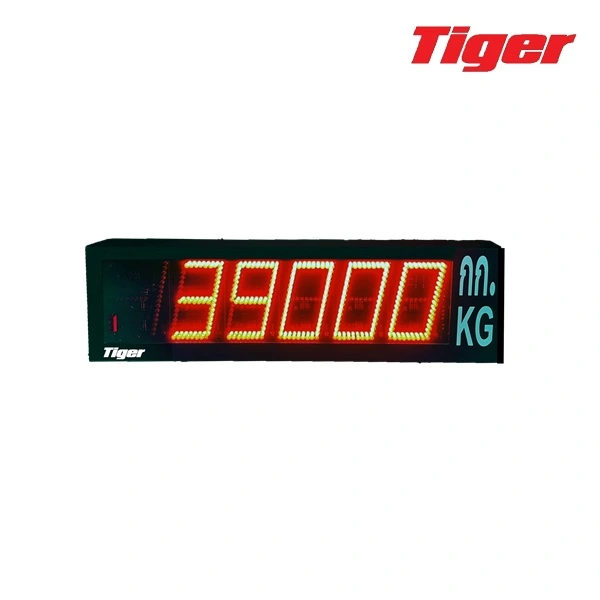
TIGER –  TRD – 03 REMOTE DISPLAY

TIGER – TRD – 03 REMOTE DISPLAY

is a weight display screen. It is connected to a weighing head to assist with better visibility from a distance of 50 meters. The material is strong and durable steel, with large digits. It is 4 inches in size and comes in various models, all of which can be automatically connected without the need for set up.”


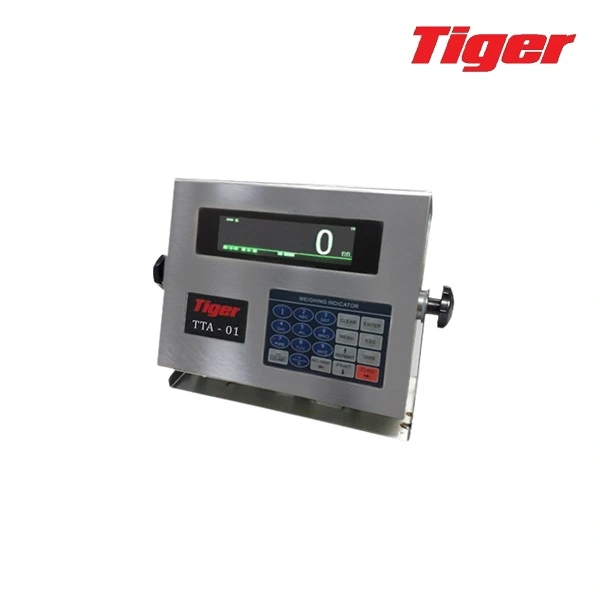
TIGER – TTA- 01 ANALOG TRUCKSCALE STAINLESS INDICATOR

TIGER – TTA- 01 ANALOG TRUCKSCALE STAINLESS INDICATOR 

INDICATOR USING NOTES

Indicator ground wire must be complying with electrical safety regulations, junction box; load cell must be well grounded.

Connection between digital load cell and indicator must be reliable, load cell shield wire must be grounded.

all cable does not allow plug / unplug when indicator is connecting to power supply, to protect indicator or load cell from electrostatic.

Thunderstorm season, system must have reliable lightning protection measures, to protect load cell and indicator.

Make sure operators’ safety and weighing equipments running safely.

limited using for flammable gas, or flammable vapor areas, or tank system with pressure.

keep indicator and load cell away from strong electric magnetic field, corrosive substances and explosive materials.

Ado not sue strong solvents( such as: benzene, nitro-class oil) to clean the cover.

do not inject liquid or other conductive particles into indicator.

without technical supervision department’s promise, no one can open the seals, or calibrate..

to ensure indicator display clearly, and work longer, do not use it under direct sunlight, and put it stable.

indicator should be away from dust, vibration, wet environment.

before plugging/unplugging, pls cut off indicator or other equipments’ power.

connecting each connector as the manual book.

That indicator is precision measuring instrument, to ensure accuracy, do not open it without authorization.

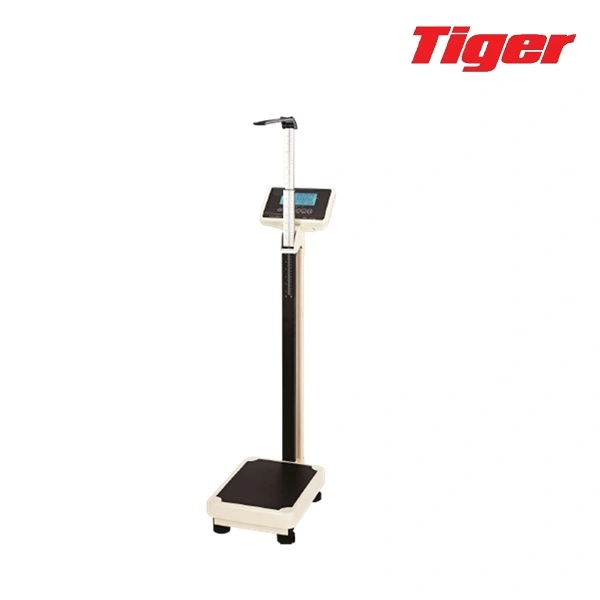
TIGER – TWH – 02 ELECTRONIC BODY SCALE

TIGER – TWH – 02 ELECTRONIC BODY SCALE

the special microcomputer control, high definition large sereen  LCD display, with functions of accurate weighing, measuring height, use
reliable and convenient. It can be stored for 7 personal’s information, included sex, age, body height and BMI, the displayer will show the the health index
according to inputting parameters. The products are widely used in family, medical treatment, health care and other places.

1. Main Technical Performance

  • Two ways of Power supply : AC/DC. AC Input 110-240V, 50HZ and AC
    output 6V. And with 4V DC rechargeable battery inside of scale.

2. Assembly Method

  • To stock and ship, this scale is packed by separated into 2 parts. A. scale base
    B. displayer and pole(See below drawing)
  •  Insert the seat of pole and into scale base, insert the pole into the
    base seat , make the display face inside. Fasten it by screw.
  •  Replace battery: Open the batteries case on bottom of scale, get
    the battery out, and insert new battery. Cover battery case.

3. STEPS TO USE

  •  Put the scale onto a hard, level surface, adjust the footing to make it in level.
  •  Shut the switch behind displayer, then turn on scale by short press
    “ON/TARE+” key, scale self-test. After this, it goes into weigh mode.
  • Stand in the center of the platform, when the number displays, and a circle
    displays on left top corner , the number is the weight.
  • Pull the high measurement , and make the block touches head, then read the

4. FUCTIONS OF KEYS

  •  “ON/TARE+” KEY
    A . In off status, Short press this key to turn on scale. B. In weigh mode
    short press this key to Zero the weigh to “O”. In setting mode, short press
    this key to make one increase.
  •  “OFF” KEY  Short press this key to turn off scale.
  •  “UNIT -” KEY   To set weighing unit, kg or lb. the displayer shows the unit on right side KG
    and LB. Weighing unit stays in KG when turn on scale.
  •  “MEM” KEY  Short press this key to set memory.
  • “SET” KEY  Short press this to insert user information, such as sex, age, high.

5. Steps to select weighing unit

  •  Weighing unit can by “selectable” and “‘locked”. Turn on scale, press “UNIT” key, weighing unit can swift, that is “selectable “;, otherwise is
    “locked”. “Selectable” status can swift weighing unit an any time, “Locked” status remains a weighing unit and can not be changed.
  •  Operation to select “selectable” and “locked”: turn on scale, when displays “O’, press and hold “UNIT” key until weighing unit kg or lb flash, the
    flashing weighing unit is the unit which will be locked. Repeat above steps and swift status between “selectable” and “locked”.
  • Any error operation , please turn off the scale and re-operate above steps.

6. OPERATION TO OTHE FUCTION

  •  Memory Function: Turn on scale, weigh and get result, after circle displays on left top corner ,
    short press ‘MEM” key, displays “‘SAVE” and memory  stocks. This scale can stock 7 users, each users 7 arrange memories.
    If the user memories more than 7 arrange , the  eariest memory will replaced by new memory.
  •  Recall Function: Turn on scale, short press “RECALL”, displayer shows “SLUSE”, short press “ON/ZERO+” key can select user, after selected user,
    short press “RECALL” key, the latest memory will display. Short press “ON/TRADE+” key can display more memories. Short press “RECALL
    ” key to end recall mode. Remark: If no any memory was stocked, when recall, it displays “no DAT”

REMARK: About BMI

world health organization Standard:

Less than 18.5 thin, 18.5~24.9 normal , More than 25 partial fat, More than 30 fat, More than 40 Obesity

Asia Standard:

Less than 18.5 thin, 18.5~22.9 normal , More than 23 partial fat, More than 30 fat, More than 40 Obesity

7. NOTE

  •  When works by battery, when displayer shows “‘LO’, please charge the battery. When charge, please use the wire which can be found in package.
  •  Scale should put onto hard, level surface, adjust the footing to make it level to get a precision result .
  • Clean the scale after used, keep it dry.
  •  User’s disassembly or un-normal use, (over load, strong impact ect.) leades to load cell broken, is out of guarantee.
  •  Any doubt, please contact local retailers or give us phone call.


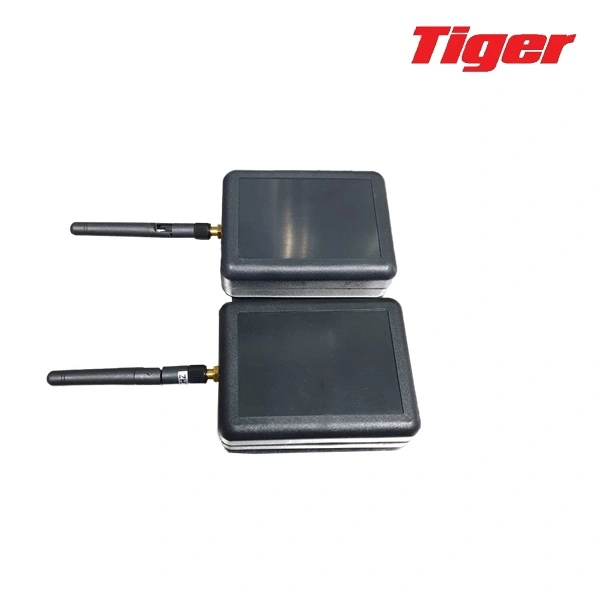
TIGER RS-323 WIRELESS BOX

TIGER RS-323 WIRELESS BOX

RS-232 Wireless Box connection device for wireless signal connection between weight reading heads. with an external display or PC
Can connect signals to various devices via RS-232 port. 1-to-1 connection can transmit signals over a distance of up to 150 meters.
Frequency 433 MHz 902 ~ 938 MHz Operating environment range Temperature -100C~+600C

AD-DA Wireless Box

  • Accuracy: 1/10000 for any indicator
  • Load cell: work with 1 to 12 load cells 350Q
  • Frequency: 433MHZ and 902 to 928 MHZ
  • Power consumption:270 hours one loadcell 350Q
  • Range: 150 meters
  • Working temperature:-10’C to +60 ‘C
  • Enclosure: Aluminum 110x76x30mm
  • Power: AC/DC, Rechargeable Battery.
  • Special Using in truck scale, floor scale ,crane scale.

RS232 Wireless Box

  • One pair of wireless box: one for transfer and one for received
  • can be used for any indicator to any remote display with RS232 communication
  • Baud rate can be chosen before deliver . (according to the indicator and display)
  • 5-9V you can be supplied from outer or supplied by indicator and remote display PCB

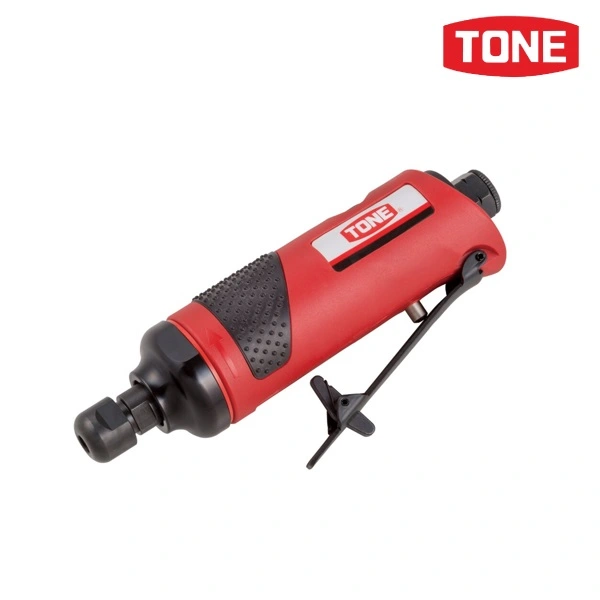
TONE – AGR01 AIR GRINDER

It is a compact grinder that is small, lightweight and excellent in workability.
Comes with a collet chuck with a shaft diameter of 3 mm and 6 mm. Equipped with rotation speed adjustment function.
For all metal polishing and deburring work.

output angle Collet chuck
Tip shape Collet chuck
Working air pressure (Mpa) 0.62
Joint thread diameter (mm) Rc1/4 (PT1/4)
Air hose inner diameter (mm) More than 10
Material Multiple
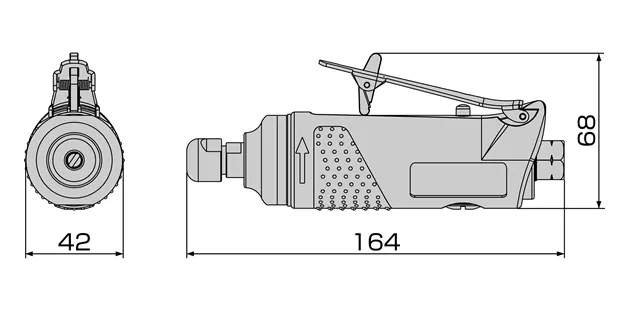
Single product mass (g) 550
Single product dimensions (mm) w 164
Single product dimensions (mm)d 42
Single product dimensions (mm) h 68
Quantity 1
Small box quantity 12

Dimensional drawing


accessories

Plug: R1/4 (PT1/4), Spanner for whetstone replacement: 2, Collet 3mm: 1, Collet 6mm: 1

supplement

The product does not come with a tip grinding tool. Please purchase a tip grinding tool that meets the standard. A compressor output of 3 kW (4 PS) or more is recommended. Maximum air consumption (ntp) indicates air consumption converted to standard conditions (0°C, 1 atmospheric pressure = 0.1 Mpa). The maximum air consumption (op) indicates the air consumption in actual operating conditions (20°C, 0.62 Mpa).


Exit mobile version